How to use Folia to track your diet when you have chronic kidney disease
If you’ve watched our webinar with Lauren Levy, MS, RDN, CSR and a Certified Specialist in Renal Nutrition, then you know how important diet is when you have chronic kidney disease (CKD).
As with all health, there are general guidelines, but everyone’s specific diet plan will look slightly different. Some with CKD may need to restrict protein intake, while others need to monitor potassium levels. This article is meant to show you how you can customize your Folia journal to capture what you need to keep an eye on.
1. Add the right observations for you
If you need to track protein intake, add the “Protein intake (Protein in food)” observation. You can track this every time you eat protein, or add a total amount once at the end of the day.
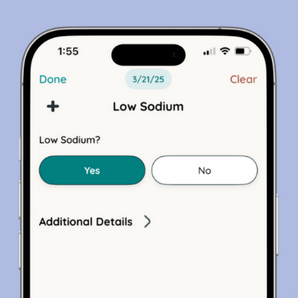
If you want to track sodium, you can either track it like protein intake above with specific measurements, or you can add a more general observation, such as “Low sodium” as a Yes/No observation type to see how your symptoms trend in the days that follow low or high sodium intake.
If you’d like to track intake of high potassium/phosphorus foods, you can create an observation like “High potassium food” as a Yes/No observation, or as a Count, if you want to track the number of these foods per day. Note that any observation in Folia can be changed to track however it fits your needs best!
In addition to any diet-specific observations, you can add in the additional symptoms you’d like to track to see how your diet impacts them.
Here’s a guide on how to add or update your observations!
2. Track your symptoms and start building your health history
The more you track, the more data you’ll have in your Insights and Graphs to start to see insights on how your diet is affecting your symptoms overall.


3. Graph your observations to see any patterns, or use Calendar Filters to easily visualize your data

By using graphs, you can see how your symptoms, such as swelling, sleep, fatigue, back pain, etc. change based on protein intake, sodium intake, or other diet observations you’re interested in. Here’s a guide on using Graphs in Folia.
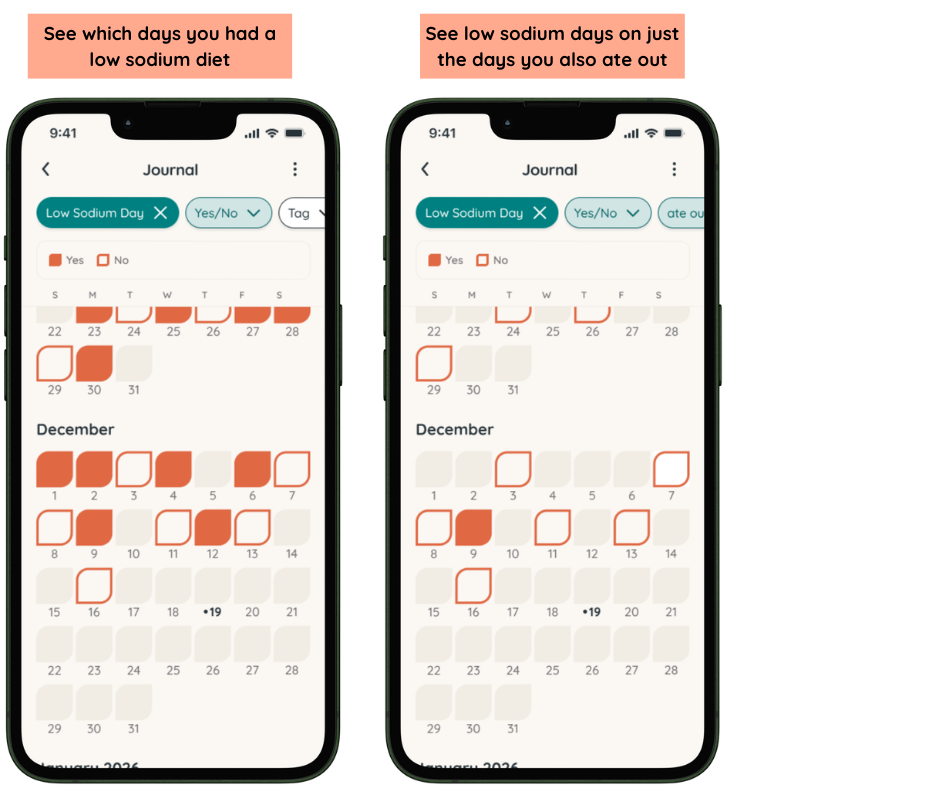
Another way to visualize your data is by using Calendar Filters. This makes it easy to pinpoint patterns, or just see which days something occurred or not. Here’s a guide on using Calendar Filters!
Not only will tracking these things start to help you understand exactly how your diet is impacting how you feel overall, but it will also help you become more mindful of the nutrition choices you’re making on a daily basis.
If you have any questions on how to track, please feel free to reach out anytime!
To start tracking today, download the free Folia app and use invite code “LAUREN5.”