
New Feature: See Patterns Faster With Calendar Filters
A better way to visualize your health data in Folia
At Folia, every feature we build starts the same way: with real feedback from people living with chronic and complex conditions.
You’ve told us you don’t just want to track your health, you want to understand it, so you can make educated decisions about your care.
So we built a better way to help you do exactly that.
Introducing Calendar Filters: a new way to quickly see patterns in your Journal and connect the dots in your day-to-day health.
What this means for you
You are already putting in the effort to track your health. Calendar Filters help you get more out of it.
With just a few taps, you can start answering questions like:
When do my symptoms flare up most?
Are my treatments actually helping?
What patterns am I missing?
How is my health changing over time?
All without digging through your Journal.
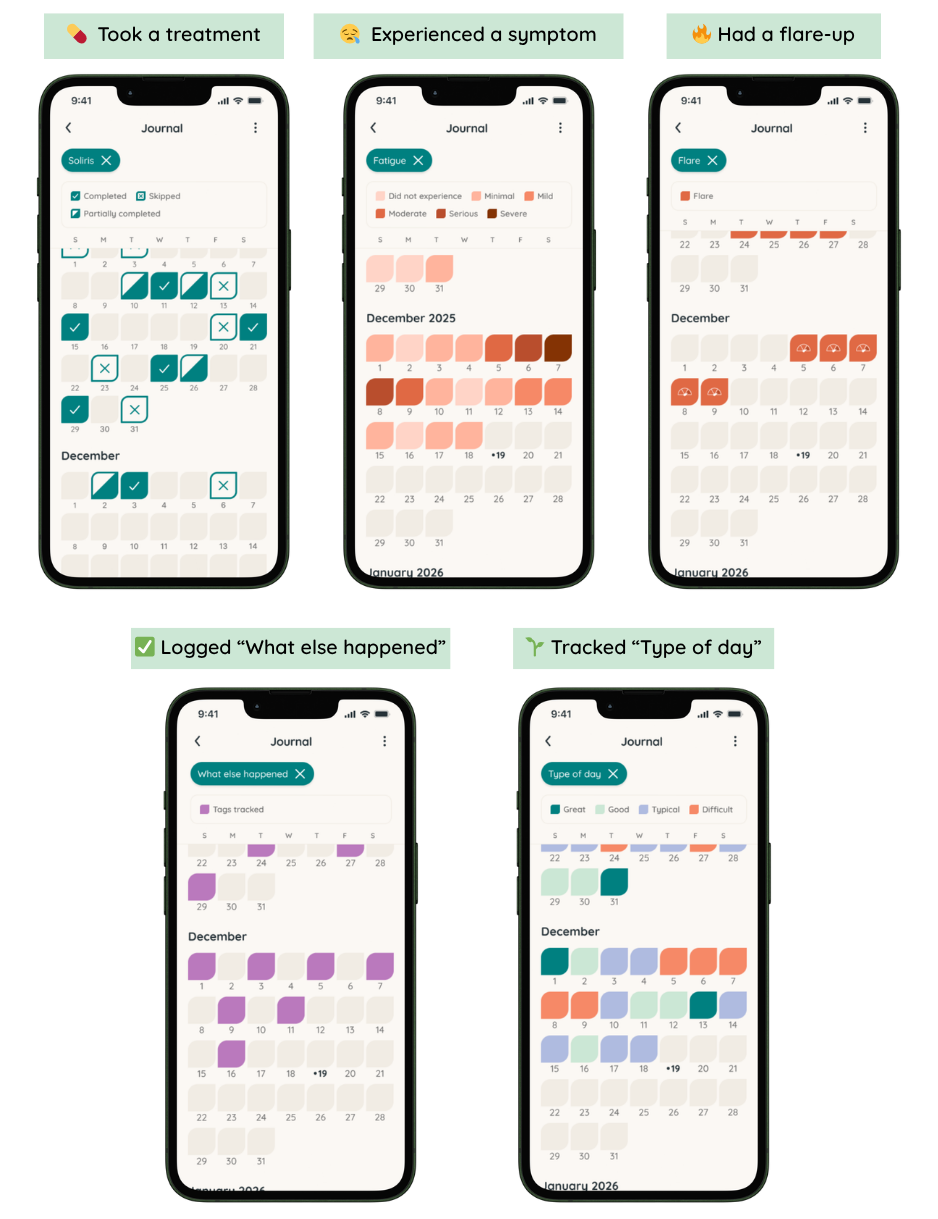
See your health data more clearly
Your Journal holds a lot of valuable information. Calendar Filters make it easier to actually see it.
You can quickly visualize when you:
💊 Took a treatment
😪 Experienced a symptom
🔥 Had a flare-up
✅ Logged in the "What else happened" section
🌱 Had a Difficult, Typical, Good, or Great day
Instead of scrolling through entries, you can step back and view your health data over time.
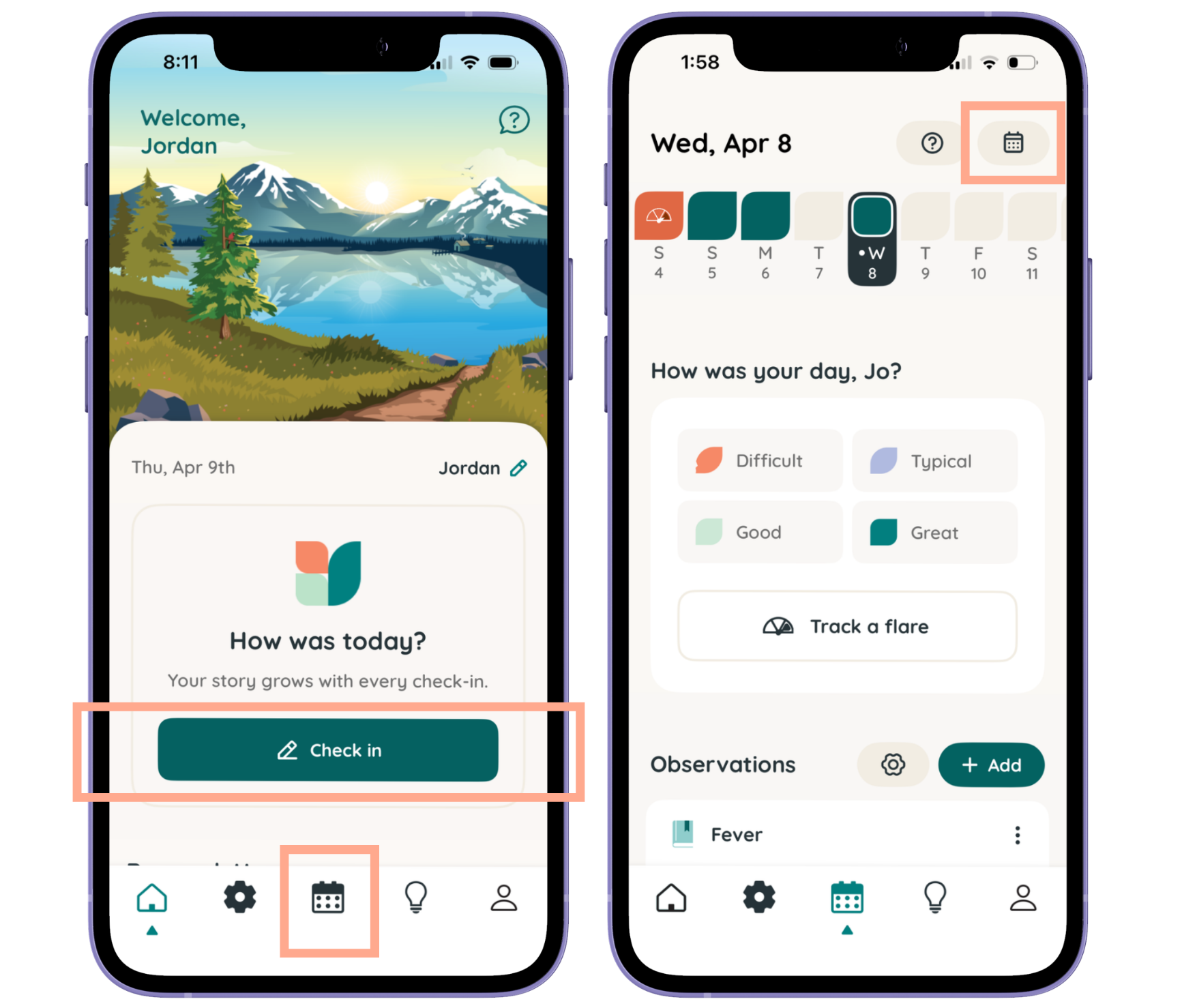
How to use Calendar Filters
Getting started is simple:
1️⃣ Go to your Journal
2️⃣ Tap the calendar icon in the top right
Your default view will show:
1️⃣ Days you have tracked
2️⃣ Flare days
From there, you can choose what you want to focus on, including symptoms, treatments, flares, tags, and more.
Want to take your insights to the next level?
From there, you can choose what you want to focus on, including symptoms, treatments, flares, tags, and more.
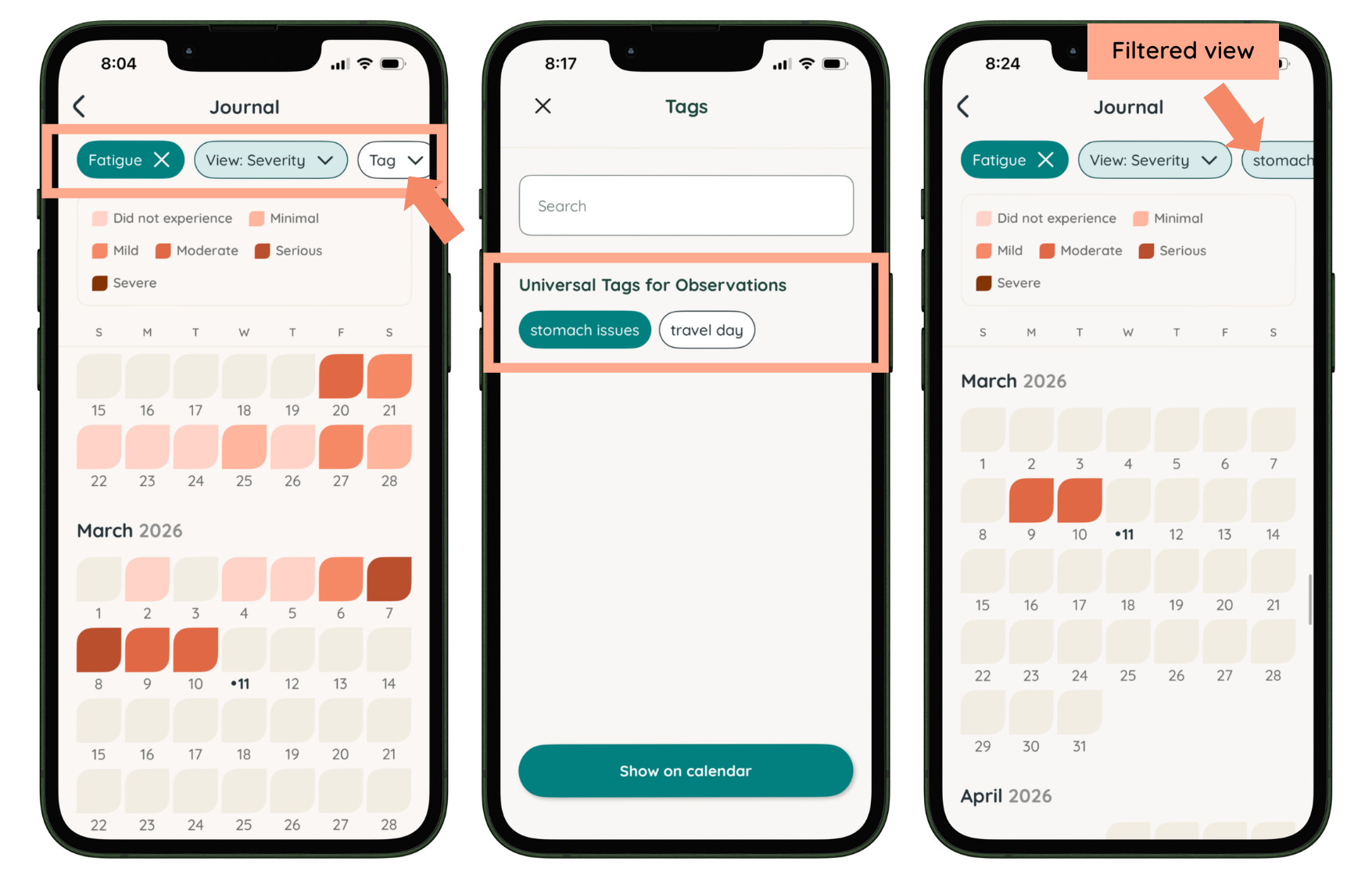
Filter by tags
If you use tags, you can uncover deeper insights.
For example, you can view fatigue only on days when you also tagged "stomach issues." This helps you better understand how different symptoms and experiences may be connected.
Tip: If you select multiple tags, you will only see days where all selected tags were used.
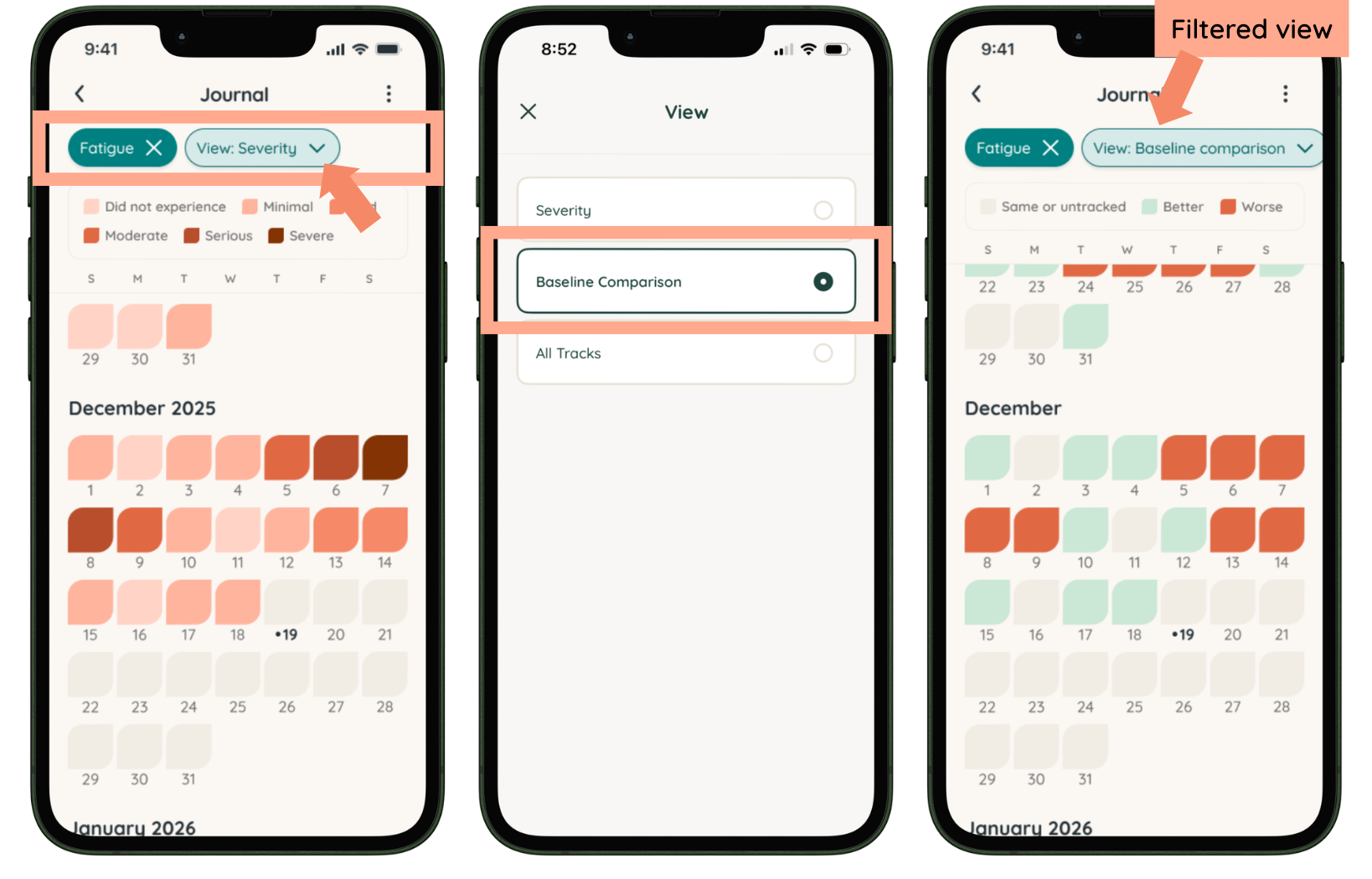
Compare symptoms to your baseline
If you track symptoms on a severity scale, you can compare your data to your baseline.
Your baseline is your usual level for a symptom, helping you understand what is normal for you over time. You can learn more about setting your baseline in the app here.
From there, you can see when symptoms are better than usual and when they are worse. It adds important context and helps you understand how your health is changing over time.
A quick note on tracking changes: If you have changed how you track something, such as switching from yes or no to a severity scale, your calendar will default to the method you have used most often. This helps keep your data consistent and easy to understand.
How Calendar Filters can support you
When you can clearly see your health patterns, it becomes easier to:
Understand what is helping
Notice changes earlier
Track symptoms more effectively
Share meaningful insights with your care team
Calendar Filters are designed to help you move from tracking your health to understanding it, so you can feel more confident in your day-to-day care decisions.
Try Calendar Filters in your Journal
Open your Journal and tap the calendar icon to start exploring your data in a new way.
This feature was shaped by feedback from people living with chronic and complex conditions, and we are always listening to what would make your experience even better.
Have feedback or something you want to see next?
Reach out anytime at [email protected].
